Every kind of page, each with a working example
Examples of every page type
Every kind of page the plugin makes has a working example here, so you can open one, tap its answers and read it on your phone before you install anything.
- Pick an example by the job you have, not by its type name.
- Notes-app examples use made-up data. The plugin's own pages use real facts.
- Every example passed the plugin's checker before it went up.
Which job do you have?
21 kinds of pageTake from this: five jobs cover all 21 kinds of page, and each chapter below opens its examples.
- Must someone decide?Decision, ballot, compare, spec and playbook.
- Where do things stand?Status, portfolio, roadmap, release, incident and handover.
- Must someone learn it?Explainer, teach, tour, research, field guide and atlas.
- Must someone do or review it?Runbook and pull request.
- Must you ask or tell people?Questionnaire and the public page.
Chapter 1 of 5, about 1 minute
Must someone decide?
Before this: pick an example by the job you have.
These pages end in a choice. The reader sees the options side by side, the one you recommend is marked, and the page says what happens if nobody picks.
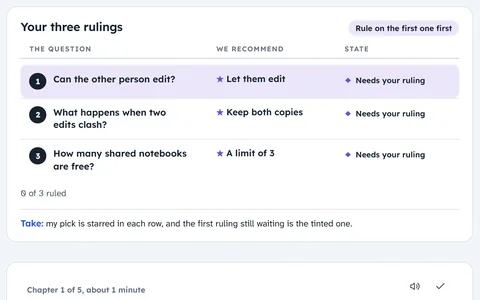 DecisionThree rulings for a notes app's next release, answered by tapping.Made-up notes app
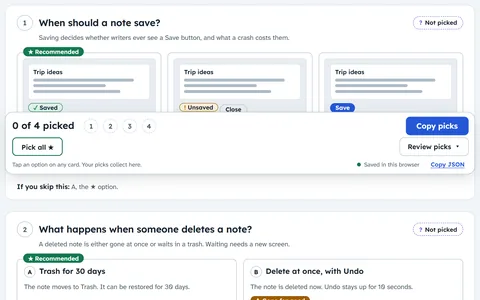 BallotFour settings decided on one phone screen, one card each.Made-up notes app
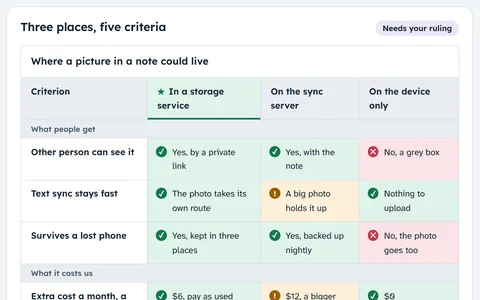 CompareThree ways to store attachments, measured on the same criteria.Made-up notes app
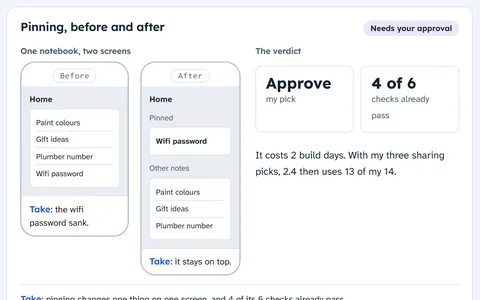 SpecApprove or hold one feature: pinning a note to the top.Made-up notes app
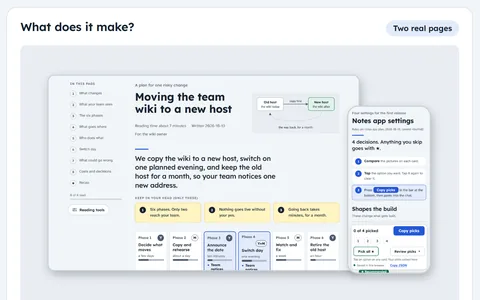
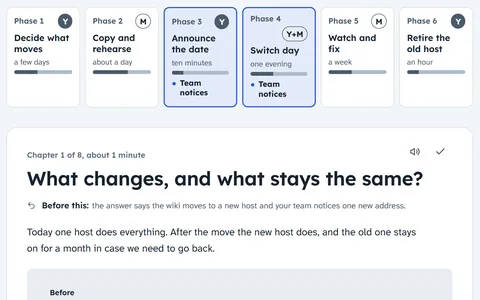 PlaybookA plan for one risky change: moving a team wiki to a new host.Made-up team
Remember: five kinds of page end in a choice the reader makes.
Chapter 2 of 5, about 1 minute
Where do things stand?
Before this: five kinds of page end in a choice the reader makes.
These pages answer "what is happening?" Each shows the state of every part, in words and a mark as well as a colour, and what comes next.
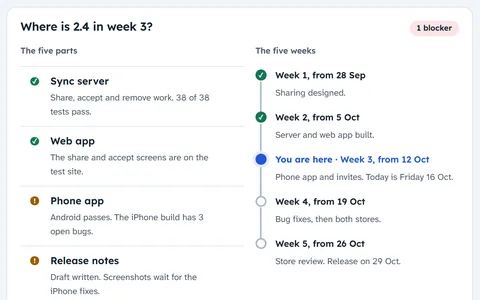 StatusWhere version 2.4 stands in week 3 of 5, and its one blocker.Made-up notes app
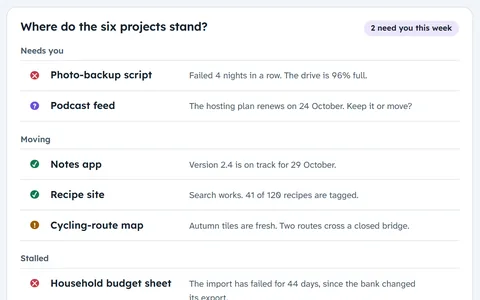 PortfolioSix side projects at once, the two that need you first.Made-up projects
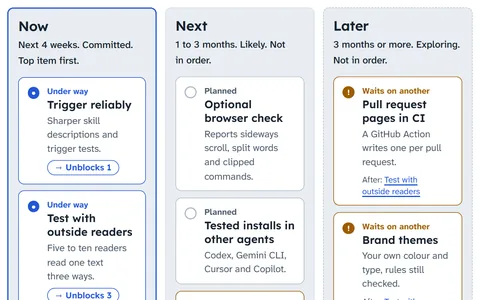 RoadmapWhat comes next for this plugin, in now, next and later.This plugin, real
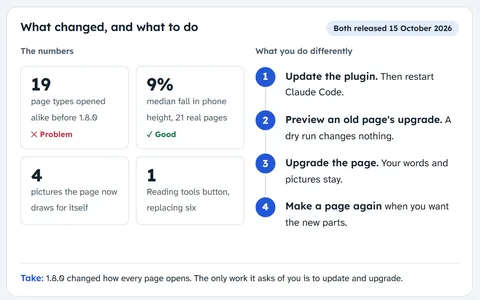 ReleaseWhat shipped in this plugin's 1.8.0 and 1.8.1.This plugin, real
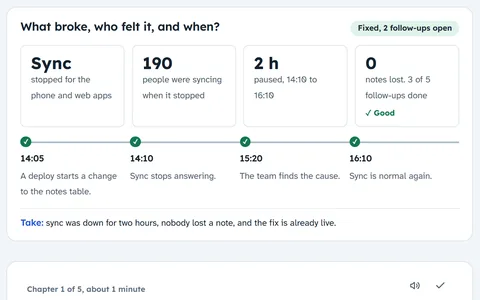 IncidentSync paused for two hours: what broke, why, and what stops a repeat.Made-up notes app
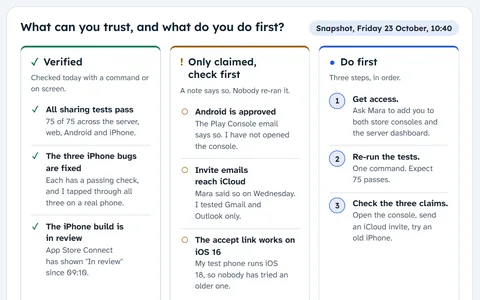 HandoverWork in flight handed to the next person, the claims kept apart.Made-up notes app
Remember: six kinds of page show where things stand.
Chapter 3 of 5, about 1 minute
Must someone learn it?
Before this: six kinds of page show where things stand.
These pages build understanding. One explains an idea, one a system in layers, one real screens. Others give findings and how sure they are, a reference, or a map of a codebase.
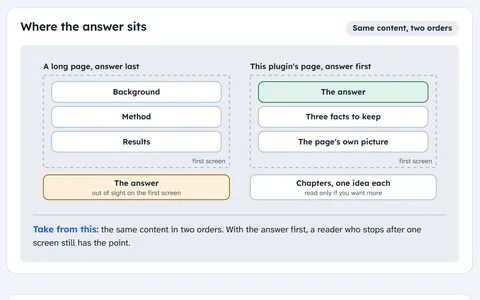 ExplainerWhy every page opens with the answer: the idea behind this plugin.This plugin, real
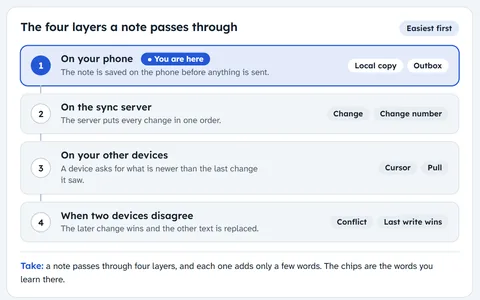 TeachHow a note travels between devices, for a new engineer.Made-up notes app
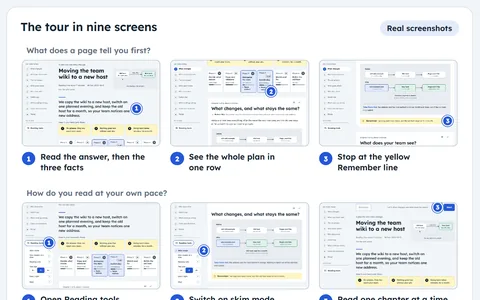 TourHow to read a page, step by step, on real screens.This plugin, real
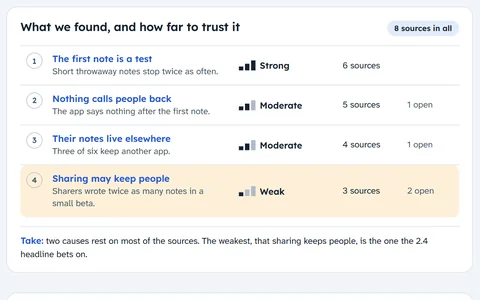 ResearchWhy new users stop after their first note, and how sure we are.Made-up notes app
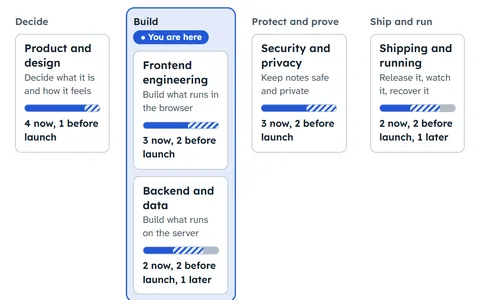 Field guideWeb product work for a small notes app, to look things up in.Made-up notes app
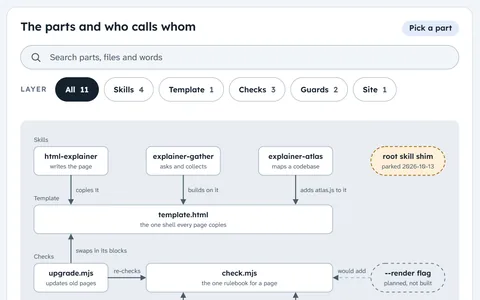 AtlasHow this plugin's repository fits together, every claim linked to a file.This plugin, real
Remember: six kinds of page help someone learn or look things up.
Chapter 4 of 5, about 1 minute
Must someone do or review it?
Before this: six kinds of page help someone learn or look things up.
A runbook walks a person or an agent through steps, each with a check and a way out. A pull request page says what changed before anyone reads the diff.
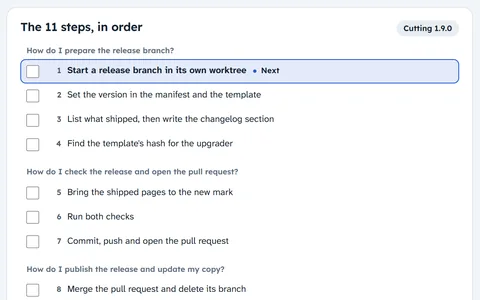 RunbookCutting a release of this plugin, in 11 checked steps.This plugin, real
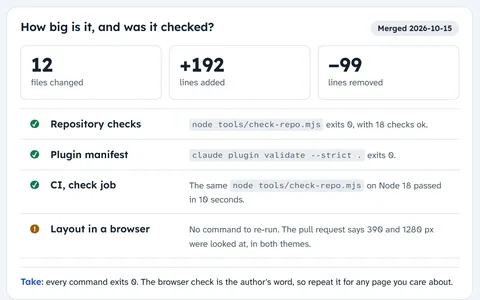 Pull requestPull request 9, the 1.8.1 polish, before you read the diff.This plugin, real
Remember: two kinds of page guide work you check as you go.
Chapter 5 of 5, about 1 minute
Must you ask or tell people?
Before this: two kinds of page guide work you check as you go.
A questionnaire asks coworkers a few questions and collects their answers in one paste. A public page tells customers what the product does for them, with proof behind each promise.
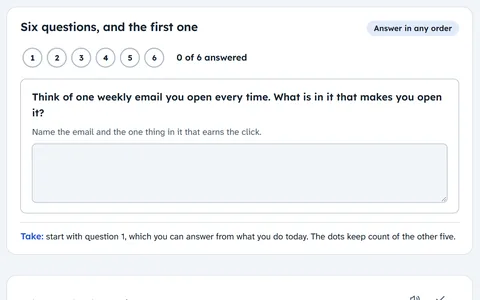 QuestionnaireSix questions for a team about a new weekly digest email.Made-up notes app
 PublicThis site's home page: what the plugin promises, and the proof.This plugin, real
Remember: two kinds of page talk to people outside the work.
Recap
- Five kinds of page end in a choice the reader makes.
- Six kinds of page show where things stand.
- Six kinds of page help someone learn or look things up.
- Two kinds of page guide work you check as you go.
- Two kinds of page talk to people outside the work.
To make your own, install the plugin and ask your agent for an html explainer.